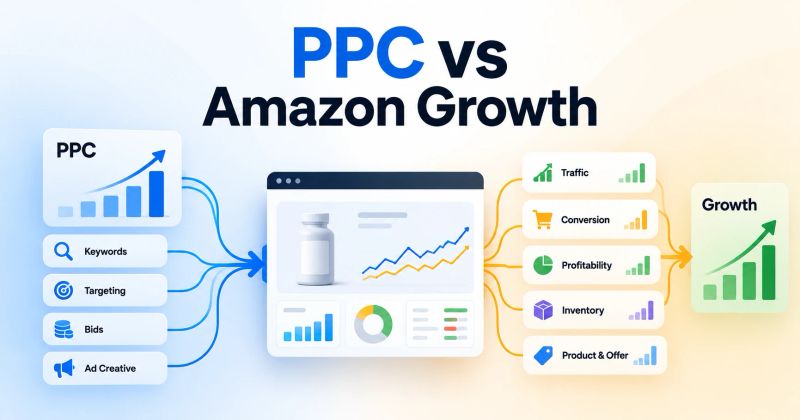
Amazon PPC performance can decline for very different reasons. A campaign may need a bid change, but the real constraint could be targeting, search-term quality, conversion, budget, inventory, placement, or product economics.
The mistake is making a change before identifying the constraint.
A practical Amazon PPC review should answer one question first:
What is limiting performance right now?
From there, determine whether the right action is to change the bid, budget, target, listing, inventory strategy, placement, or nothing yet.
1. Start With the Business Economics
Before changing advertising settings, understand what the product can actually support.
Check:
- Selling price
- Product cost
- Amazon fees
- Contribution margin
- Allowable advertising cost
- Inventory position
- Business objective
A high ACoS is not automatically bad, and a low ACoS is not automatically good.
For example, suppose two products both sell for ₹1,499.
Product A
- Contribution before advertising: ₹500
- Advertising cost per order: ₹300
- Contribution after advertising: ₹200
Product B
- Contribution before advertising: ₹250
- Advertising cost per order: ₹300
- Contribution after advertising: -₹50
The advertising result looks similar, but the business outcome is not.
That is why PPC decisions should be connected to product economics, not just advertising metrics.
2. Check Inventory Before Scaling
Advertising creates demand. Inventory has to support that demand.
Check:
- Current inventory
- Sales velocity
- Days of cover
- Replenishment timeline
- Product importance
- Seasonal demand
If inventory is approaching a stockout, increasing PPC spend may not be the right move even when the campaign is performing well.
The question is not simply:
"Can we generate more sales?"
It is:
"Should we generate more demand right now?"
Depending on the situation, you may want to protect the most valuable demand while reducing incremental discovery spend until replenishment is healthier.
3. Check Traffic Quality
If the business and inventory position are healthy, look at the traffic.
Review:
- Search terms
- Targets
- Match types
- Product targeting
- Negative targeting
- Customer intent
- Placement performance
A campaign can generate orders while still wasting substantial spend on poor search terms.
Target performance is not search-term performance
A keyword or product target can look acceptable at the target level while individual customer searches underneath it have very different economics.
For example:
- Target generates 20 orders
- 5 search terms generate most of those orders
- Many other searches consume spend with little or no return
In that situation, lowering the target bid may reduce both good and bad traffic.
The better approach may be to identify the search-term-level problem first.
Possible actions:
- Add negative targets
- Reduce exposure to weak searches
- Isolate valuable search terms
- Move proven terms into dedicated campaigns
- Restructure targeting
Do not use a bid change to solve a traffic-quality problem.
4. Check Conversion and the Offer
If the traffic is relevant but shoppers are not converting, increasing bids usually does not solve the underlying problem.
Review:
- Conversion rate
- Main image
- Title
- Bullet points
- A+ Content
- Reviews and rating
- Price
- Coupons and promotions
- Featured Offer
- Availability
- Product differentiation
- Competitive offer
The key question is:
Are we sending the wrong shoppers, or is the product failing to convert the right shoppers?
Those are two different problems.
If relevant search terms are producing clicks but very few orders, investigate both traffic quality and the product offer before increasing spend.
5. Ask What Changed
Before changing anything, compare the period when performance was healthy with the period when it deteriorated.
Look for changes in:
- Bids
- Budgets
- Search terms
- Targets
- Campaign structure
- Placements
- Price
- Coupons
- Listing content
- Inventory
- Competitor activity
- Product availability
For example:
ACoS increased from 25% to 38%.
That does not tell you what to change.
You need to determine whether:
- CPC increased
- CVR declined
- Traffic mix changed
- Average order value changed
- Placement mix changed
- Search-term quality declined
- Product price changed
The first question should be:
What changed before the metric changed?
6. When Should You Change the Bid?
Bid optimization makes sense when the target is valuable but the cost of acquiring that traffic is the constraint.
Typical signals include:
- Relevant traffic
- Consistent conversion
- Acceptable product economics
- High CPC
- Weak efficiency relative to the target's value
Then evaluate:
- Current bid
- CPC
- Placement performance
- Dynamic bidding
- Target-level economics
- Marginal profitability
Do not reduce a bid simply because ACoS is high.
First determine whether:
- 1The traffic is valuable.
- 2The product converts.
- 3The economics support the traffic.
- 4Auction cost is actually the constraint.
If all four are true, bid or placement optimization may be appropriate.
7. When Should You Increase the Budget?
Running out of budget is not automatically a scaling opportunity.
Compare two campaigns.
Campaign A
- Strong conversion
- Good economics
- Relevant traffic
- Consistently budget constrained
Campaign B
- Poor conversion
- Weak traffic quality
- High ACoS
- Consistently budget constrained
Both may show budget exhausted.
Only Campaign A may have a genuine budget constraint.
Ask:
If we increase the budget, is there enough profitable demand to use it?
If yes, additional budget may make sense.
If the campaign is spending badly, increasing the budget simply creates more room for inefficient spend.
8. Check Placement Economics
Do not rely only on campaign-level averages.
Compare:
- Top of Search
- Rest of Search
- Product Pages
Look at:
- CTR
- CPC
- Conversion rate
- Orders
- ACoS
- ROAS
A campaign can have acceptable overall performance while one placement performs substantially differently from another.
The correct action may therefore be to adjust placement strategy rather than simply lowering the campaign bid.
9. Make Sure There Is Enough Data
Not every poor-looking target needs an immediate change.
A target with:
- 7 clicks
- 0 orders
- ₹1,000 spend
does not provide the same evidence as a target with:
- 300 clicks
- 15 orders
- ₹50,000 spend
The exact threshold for action depends on the product, economics, traffic volume, and account context.
Before making a significant optimization, consider:
- Click volume
- Spend
- Orders
- Time period
- Recent changes
- Seasonality
- Search demand
- Inventory changes
Sometimes the correct optimization is:
Do nothing yet.
Monitor until there is enough evidence to make a reliable decision.
Amazon PPC Decision Framework
Use this sequence when reviewing a campaign or account:
Performance changed
        ↓
What changed?
        ↓
Are the product economics viable?
        ↓
Is inventory a constraint?
        ↓
Is the traffic relevant?
        ↓
Are search terms and targets healthy?
        ↓
Is the product and offer converting?
        ↓
Are placements economically sound?
        ↓
Is the bid the constraint?
        ↓
Is the budget the constraint?
        ↓
Is there enough data to act?
        ↓
CHANGE / MONITOR / SCALE
This prevents the common mistake of treating every PPC problem as a bidding problem.
Practical Diagnostic Table
| Signal | Investigate first | Possible action |
|---|---|---|
| High impressions + low CTR | Relevance / positioning | Review targeting and listing |
| High clicks + low conversion | Traffic + offer | Diagnose search terms and product page |
| High spend + few sales | Search terms / targets | Reduce waste |
| Good conversion + high CPC | Bid / placement | Review acquisition cost |
| Good performance + budget exhausted | Budget + demand | Evaluate scaling |
| Low impressions + good conversion | Bid / demand / budget | Check opportunity |
| Strong PPC + low inventory | Supply | Control incremental demand |
| High ACoS + weak conversion | Traffic + product | Don't start with bids |
| Good ACoS + low sales volume | Demand + budget | Evaluate scale |
| Sudden performance decline | Recent changes | Diagnose what changed |
| Target looks good but search terms vary widely | Search-term mix | Isolate winners and control waste |
| Very little data | Data sufficiency | Monitor before acting |
The Operator's Rule
Amazon PPC management is not about changing the most visible metric.
It is about identifying the constraint in the system.
The operating loop should be:
Data → Diagnosis → Decision → Change → Measurement → New Data
That means the right question is not:
"Should I change the bid, budget, target, listing, or inventory?"
It is:
"What is limiting this account right now, and what evidence supports that conclusion?"
Once the constraint is clear, the appropriate action becomes much easier to determine.
How SellerRoot Fits Into This Process
This diagnostic approach is also where SellerRoot is designed to help.
SellerRoot combines Amazon Ads intelligence, optimization technology, and managed services to help sellers, brands, PPC operators, and agencies understand what is changing and where attention is required.
Instead of manually reviewing every campaign, target, and search term, SellerRoot helps organize advertising data into actionable areas across:
- Campaigns
- Targets
- Search terms
- Bids
- Budgets
- Placements
- Performance trends
- Account-level opportunities
You can use SellerRoot as a technology layer for your own PPC operation, use its managed services, or combine technology with specialist support.
The objective is not to automate every advertising decision.
It is to help operators identify the right problem faster and make better-informed decisions.
Final Takeaway
A strong Amazon PPC operator knows when to:
- Change the bid
- Reallocate the budget
- Fix targeting
- Control search-term waste
- Improve the listing or offer
- Adjust placement strategy
- Control demand because of inventory
- Scale a proven opportunity
- Or make no change until enough data exists
Don't optimize the variable. Diagnose the constraint.
Key takeaways
- Amazon PPC problems are not always bid problems; diagnose the constraint before making a change.
- Search-term quality and conversion should be evaluated before increasing traffic.
- Running out of budget is a signal to investigate, not an automatic reason to increase budget.
- Inventory and product economics should be considered before scaling profitable advertising.
- Sometimes the correct optimization is to monitor rather than change the campaign.
Frequently asked questions
First confirm that the target is valuable, relevant, and converting. If the traffic is worth buying but acquisition cost is too high, bid and placement changes may be appropriate.
About the author

Amazon Ads operators
Yogendra Kashyap is the Founder of SellerRoot and an Amazon Ads expert with 9+ years of experience helping brands grow through data-driven advertising. His expertise spans Amazon PPC, campaign optimization, search term analysis, and marketplace growth. Together with the SellerRoot team, he is building AI-powered tools for Amazon advertisers while sharing practical, experience-backed insights to help brands improve profitability and scale on Amazon.
Make Amazon PPC Management Easier
SellerRoot helps Amazon businesses analyze, optimize, and manage advertising through technology, managed services, or a combination of both.