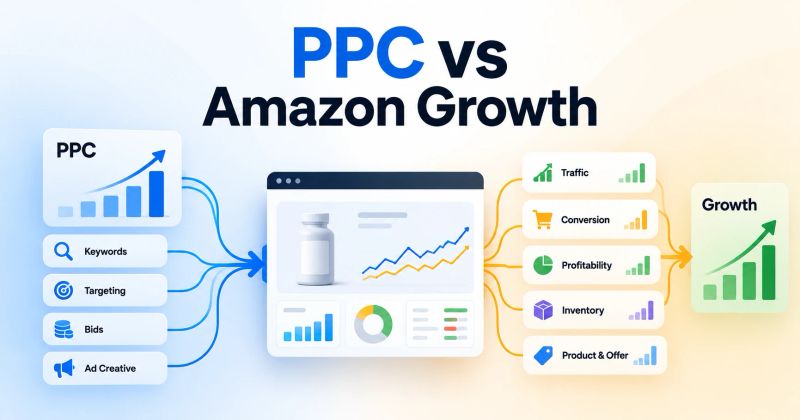
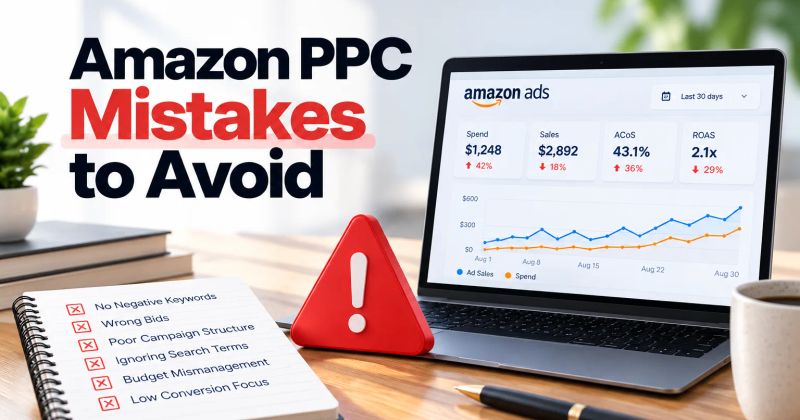
Wasted Amazon ad spend is rarely caused by one bad keyword. In most accounts, it comes from a mix of irrelevant traffic, weak targets, aggressive bids, poor budget allocation, and traffic that reaches the product page but does not convert.
Do not treat all inefficient spend the same.
Irrelevant traffic should usually be excluded. Relevant but expensive traffic should be optimized. Insufficient data should keep running. Structural waste needs a campaign-level fix.
Start by defining what "waste" means
Do not begin with ACoS.
ACoS tells you the relationship between ad spend and attributed sales. It does not explain why the spend happened.
I classify questionable spend into four buckets:
- 1Irrelevant traffic: the query or product target does not fit the product.
- 2Relevant but inefficient: the traffic makes sense, but CPC, conversion, or economics do not.
- 3Unproven: there is not enough evidence to make a decision.
- 4Structural waste: campaign setup, budget, targeting, or product selection is sending money into the wrong place.
That classification determines the action.
Irrelevant → negative targeting.
Relevant but expensive → optimize bids, placement, or conversion.
Insufficient data → keep testing.
Structural problem → fix the campaign system.
Amazon recommends using search term, targeting, advertised product, placement, and performance reports to understand Sponsored Products performance, alongside negative targeting for keywords and products that do not meet campaign goals.
1. Find where the money is actually going
The first report I use is the Search Term Report.
Keywords are what you bid on. Search terms are what shoppers actually used.
Amazon says the report can identify strong searches and create negative keyword or product targets for searches that do not meet your goals.
Sort the data by:
- Spend
- Clicks
- Orders
- Sales
- ACoS
- Conversion rate
Then look for spend concentration without an economic result.
For example:
| Search term | Spend | Orders | Action |
|---|---|---|---|
| Relevant | $18 | 0 | Investigate |
| Relevant | $42 | 1 | Check economics |
| Clearly irrelevant | $27 | 0 | Negative candidate |
| Strong converter | $31 | 4 | Protect or promote |
The threshold depends on the product. Look for recurring spend with little justification.
2. Do not negative every zero-order term
This is one of the fastest ways to over-optimize an account.
A term with 5 clicks and $7 spend without an order is not equivalent to a term with 38 clicks and $61 spend without an order.
Even after significant spend, ask:
Is the search relevant?
If yes, the answer may be a bid reduction or conversion improvement rather than a negative.
Amazon gives 20 clicks as an example point for evaluating negative targets. It is not a universal rule. Product price, CPC, conversion rate, margins, and campaign objective matter.
3. Separate irrelevant traffic from expensive traffic
Consider a premium leather laptop bag.
If the ad receives clicks from a search clearly looking for another product category, that is a targeting problem. Use negative targeting.
If the shopper is searching for a product the listing genuinely satisfies, but CPC is high and conversion is weak, that is an economic or conversion problem. Check the bid, placement, offer, and detail page before blocking it.
Poor economics does not automatically mean irrelevant traffic.
4. Use negative keywords to stop repeatable waste
Amazon supports negative keyword targeting in automatic and manual Sponsored Products campaigns. Negative keywords can be applied at campaign or ad-group level.
Use negative exact when the unwanted search is specific.
Use negative phrase when a phrase represents a broader class of unwanted searches.
The goal is to stop repeatable, identifiable waste.
5. Negative product targeting matters too
Keyword waste gets most of the attention, but product targeting can leak spend.
Amazon allows negative product targeting to prevent ads from appearing against specific products or other product targets that do not meet campaign objectives.
Look for ASINs that:
- Receive repeated clicks without sales
- Are poor product matches
- Attract the wrong price expectation
- Do not fit the campaign's intended positioning
- Consume spend without supporting the campaign objective
Do not automatically block every non-converting ASIN. A competitor ASIN may still be useful for discovery. Judge it by campaign role.
6. Lower bids when the traffic is right but the price is wrong
If a target is relevant but inefficient, negative targeting can be too aggressive.
A useful diagnostic is:
CPC ÷ conversion rate = advertising cost per order
At $1 CPC and 10% conversion, the implied advertising cost per order is $10.
At the same CPC and 5% conversion, it becomes $20.
Before cutting the keyword, check:
- Bid and placement
- Price and offer
- Reviews and main image
- Detail-page content
- Search intent
Amazon recommends decreasing bids on low-performing keywords and products while considering negative targeting for terms and products that are not relevant.
For a deeper process, see how to lower ACoS on Amazon.
7. Stop one campaign from absorbing the wrong budget
Waste can happen above the keyword level.
One campaign may repeatedly consume its budget while another has stronger economics.
Amazon's budget guidance recommends considering budget reallocation from low-performing or non-spending campaigns toward campaigns driving sales.
I ask:
- 1Which campaigns are spending?
- 2Which campaigns are producing useful sales?
- 3Where does the next dollar have the strongest economic case?
If a campaign regularly runs out of budget but converts poorly, increasing its budget can simply give inefficient traffic more room.
8. Check placement before changing the campaign
A campaign can look weak overall while one placement is responsible for most of the inefficient spend.
Use the Placement Report to compare performance across placements.
For example:
- Top of Search: higher CPC, stronger conversion
- Other Search: weaker conversion
- Product Pages: high clicks, weak sales
Do not automatically lower the campaign bid. First identify which placement is creating the problem.
9. Check the product page before blaming PPC
Sometimes the ad is doing its job.
It finds relevant shoppers. They click. They do not buy.
Check:
- Main image
- Title clarity
- Price
- Coupon or promotion
- Reviews and rating
- Variation structure
- A+ content
- Product differentiation
If conversion is weak across paid and organic traffic, cutting PPC may reduce spend without fixing the problem.
An Amazon PPC audit should connect advertising data with product performance.
10. Turn discovery into controlled traffic
Automatic campaigns, broad match, and product targeting can uncover demand. Once useful search terms or targets are proven, move them into more controlled targeting where appropriate.
The operating loop is:
Discover → evaluate → promote → control → monitor
Amazon describes automatic targeting as a source of keyword discovery and its Target Promotion feature as a way to harvest high-performing targets for more efficient spend.
A practical weekly waste review
You do not need to rebuild an account every day.
Search terms
- Find high-spend, low-result queries
- Identify irrelevant queries
- Find new converting searches
- Promote proven demand
Targets
- Review keyword and product economics
- Reduce bids where relevant traffic is too expensive
- Add negatives where traffic is clearly misaligned
Campaigns and products
- Check budget consumption and conversion
- Reallocate when economics justify it
- Identify ASINs where advertising is unlikely to solve the problem
Focus on the few changes that remove the most recurring waste.
The real goal is productive ad spend
Do not optimize toward:
"Spend less."
Optimize toward:
"Remove spend that is unlikely to create useful incremental value."
That means cutting irrelevant traffic, correcting inefficient bids, fixing conversion problems, reallocating budget, and protecting worthwhile targets.
For the broader framework, see the complete guide to Amazon PPC optimization.
Final takeaway
Reducing wasted Amazon ad spend is a diagnosis exercise.
Find where money is going. Determine whether the traffic is relevant. Check whether the economics make sense. Then choose the correct lever: negative targeting, bid adjustment, budget reallocation, conversion improvement, or no change yet.
The best PPC operators are not the ones who cut the most spend.
They are the ones who know which spend to cut, which spend to improve, and which spend to protect.
Key takeaways
- Wasted Amazon ad spend is not the same as high ACoS. Diagnose the source of the spend before cutting it.
- Use search-term and targeting data to separate irrelevant traffic from relevant traffic that is simply too expensive.
- Negative keyword and negative product targeting can stop recurring waste when the traffic does not fit the campaign objective.
- Bid reductions are usually more appropriate for relevant but inefficient traffic than immediate negative targeting.
- Budget should move toward campaigns and targets with a stronger economic case for the next advertising dollar.
Frequently asked questions
Common causes include irrelevant search terms, weak product targets, bids that are too high for the conversion rate, poor conversion on the detail page, and budgets allocated to campaigns with weak economics.
About the author

Amazon Ads operators
Yogendra Kashyap is the Founder of SellerRoot and an Amazon Ads expert with 9+ years of experience helping brands grow through data-driven advertising. His expertise spans Amazon PPC, campaign optimization, search term analysis, and marketplace growth. Together with the SellerRoot team, he is building AI-powered tools for Amazon advertisers while sharing practical, experience-backed insights to help brands improve profitability and scale on Amazon.
Find wasted spend before it compounds
SellerRoot helps Amazon brands surface and prioritize optimization opportunities across search terms, targets, campaigns, bids, and budgets.