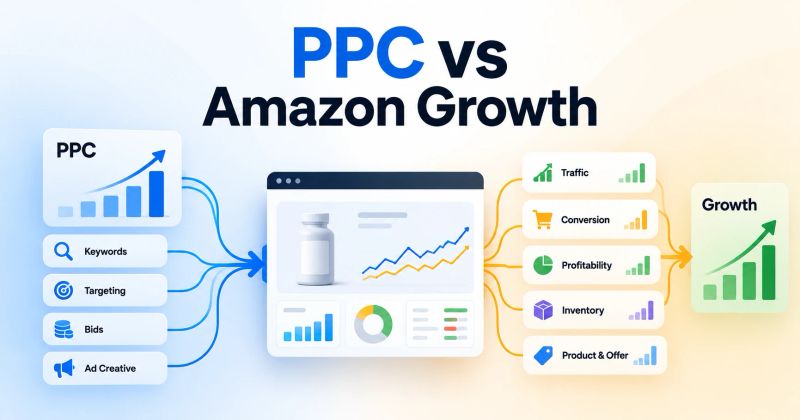
Amazon Ads can tell you more than whether a campaign made money.
It can show you what shoppers were looking for, which searches attracted clicks, which searches produced orders, and where interest failed to turn into a sale.
That makes advertising data useful for listing optimization.
Amazon Ads specifically recommends using search term report data to identify queries shoppers use to find products and applying relevant terms to product titles, bullet points, and descriptions.
The key is knowing how to interpret the data.
You should not copy every search term into your listing. Instead, use advertising data as evidence about customer demand and combine it with conversion, product economics, and what the product actually offers.
1. Start With Search Terms, Not Keyword Lists
Keyword research tools tell you what people may search for.
Your advertising account can show you what shoppers actually searched for in connection with your ads.
That distinction matters.
Open the Search Term Report and look for queries that have generated meaningful clicks, orders, and sales.
Group them into categories such as:
- Core product terms
- Feature terms
- Use-case terms
- Problem-based searches
- Audience-specific terms
- Material or specification terms
- Size or compatibility terms
- Competitor or alternative searches
For example, imagine you sell a stainless steel water bottle.
Your original listing may focus on:
stainless steel water bottle
Your advertising data may reveal that shoppers also convert on searches such as:
- insulated water bottle
- water bottle for hiking
- leakproof water bottle
- wide mouth water bottle
- stainless steel bottle for travel
These are not automatically terms you should add.
First ask whether your product genuinely satisfies the intent behind each query.
If it does, the search term can become useful evidence for your listing.
2. Find the Language Shoppers Actually Use
Your customers may describe your product differently from the way your marketing team does.
That is one of the most valuable things advertising data can uncover.
A brand might describe a product as:
premium ergonomic desk accessory
while shoppers search for:
wrist rest for keyboard
The second phrase may be much closer to the customer's actual shopping language.
Look for repeated language in converting search terms.
Pay attention to:
- Product type
- Primary use
- Problem solved
- Important features
- Materials
- Size
- Compatibility
- Audience
- Occasion
Use these patterns to make your listing easier for shoppers to understand.
Amazon recommends using relevant search terms across product detail page content while keeping the language useful and customer-focused.
3. Use Clicks and Orders Together
A search term with many clicks but no orders tells you something different from a search term with fewer clicks and several orders.
Consider:
| Search term | Clicks | Orders | What it may tell you |
|---|---|---|---|
| insulated water bottle | 180 | 15 | Strong commercial relevance |
| hiking water bottle | 120 | 9 | Useful use-case signal |
| gym water bottle | 90 | 1 | Interest exists, conversion is weak |
| large stainless bottle | 15 | 4 | Small but promising signal |
Do not automatically promote the highest-clicked phrase.
The objective is to find search language that is both relevant and commercially meaningful.
A high-volume query that produces clicks but no sales may be a poor listing message, poor traffic match, or simply a poor fit for the product.
4. Use CTR to Question Your First Impression
CTR can help you understand whether shoppers are responding to the product when they see the ad.
If impressions are high but clicks are weak, investigate the first impression.
Potential factors include:
- Main image
- Product title
- Price
- Product relevance
- Competition
- Search placement
- Offer strength
Do not assume that low CTR automatically means the listing needs rewriting.
The ad environment matters too.
But if the same product repeatedly receives impressions for highly relevant searches and struggles to earn clicks, the product's presentation deserves a closer look.
Amazon recommends informative, easy-to-read titles and high-quality product images as part of improving advertised product performance.
5. Use Conversion Data to Find the Real Listing Problem
Clicks tell you that shoppers were interested enough to investigate.
Orders tell you whether the product page and offer convinced enough of them to buy.
This creates an important diagnostic pattern.
High impressions + low CTR
The first impression may need work.
Look at the main image, title, price, relevance, and competitive positioning.
Good CTR + low conversion
The ad is attracting attention, but something after the click may be preventing the purchase.
Review:
- Product images
- Bullet points
- Product benefits
- Price
- Reviews
- Ratings
- Variations
- Offer
- Product details
- Traffic relevance
Good CTR + good conversion
You may have found a strong combination of shopper intent and product positioning.
Study the search language and customer expectations behind those sales.
This is where advertising data becomes useful for more than PPC management.
6. Turn Converting Search Terms Into Listing Language
Once you identify strong search terms, decide where they belong.
Title
Use important product-identifying language where it reads naturally and accurately.
Amazon recommends concise, informative titles that help shoppers quickly understand key product details.
Bullet points
Use relevant search language while explaining features, benefits, use cases, and important product details.
The goal is not to create a keyword list.
The goal is to answer the shopper's question.
Product description
Use the description to provide more context around benefits, uses, specifications, and value.
Backend search terms
Use relevant terms that are useful for discoverability but do not fit naturally into the customer-facing copy.
Amazon's guidance also recommends using relevant search terms in the product detail page and backend fields without unnecessarily duplicating terms.
7. Do Not Add Keywords Just Because They Convert
This is where many sellers misuse advertising data.
A search term can generate an order and still be unsuitable for your listing.
Suppose you sell a laptop sleeve designed for 13-inch MacBooks.
A search term for a 15-inch laptop sleeve generates one order.
That does not mean you should add "15 inch laptop sleeve" to the listing.
The customer may have purchased it despite the mismatch, selected a different variation, or made an unusual purchase.
Advertising data should inform your decisions, not override product truth.
Before adding a term, ask:
- 1Is it relevant to the product?
- 2Does the product satisfy the search intent?
- 3Has the term shown repeated commercial value?
- 4Can I use it naturally?
- 5Would including it help the shopper understand the product?
If the answer is no, leave it out.
8. Use Search Terms to Improve Bullet Point Priorities
Your bullets should not simply contain the highest-volume keywords.
They should answer the questions that matter before purchase.
Advertising data can help identify those questions.
For example, if shoppers repeatedly search for:
- dishwasher safe water bottle
- leakproof water bottle
- water bottle for backpack
- BPA-free insulated bottle
then the listing should make the relevant product attributes easy to find.
If your product is dishwasher safe, say so clearly.
If it is not, do not imply that it is simply because the search term has strong demand.
The data tells you what shoppers care about.
Your product determines what you can honestly claim.
9. Let Ad Data Influence Images, Not Just Copy
Advertising data can also tell you what product benefits deserve stronger visual communication.
Suppose a product receives strong sales from searches related to:
compact travel organizer
but the image sequence focuses mostly on the product's material and color.
That may be a signal to make the travel use case more visible.
Consider whether your images clearly communicate:
- What the product is
- How large it is
- How it is used
- What is included
- Important dimensions
- Key features
- Product limitations
- Real-world use cases
Amazon recommends using multiple high-quality images to show the product from different angles and demonstrate how it can be used.
10. Use Product-Level Ad Data to Find Listing Winners
When a brand has multiple ASINs, do not assume every listing needs the same type of work.
Compare products by:
- Ad clicks
- Conversion rate
- Ad sales
- Spend
- Search-term patterns
- Product price
- Review profile
- Traffic mix
You may discover that one product converts strongly from a particular use case while another product in the same category does not.
That difference can reveal:
- A positioning opportunity
- A missing feature explanation
- A weak image
- A pricing problem
- A product-market fit issue
- A traffic mismatch
Listing optimization should follow the evidence at the ASIN level.
11. Use Advertising Data to Find Customer Objections
The most useful search terms are not always the obvious product keywords.
Problem-based searches can reveal what customers are trying to avoid.
Examples:
- water bottle that does not leak
- keyboard wrist rest for large hands
- dog bed for heavy dogs
- storage box for small apartments
These searches reveal the customer's problem.
If your product genuinely solves that problem, the listing should make the solution obvious.
This can influence:
- Headline messaging
- Bullet order
- Images
- A+ Content
- Comparison charts
- Product description
Amazon notes that A+ Content can provide additional product information through enhanced images, text, and comparison modules.
12. Test the Listing Instead of Assuming the Change Worked
Do not change a title, image, or bullet and immediately declare success.
You need to measure what happened afterward.
Track changes in:
- Conversion rate
- Sessions or traffic
- Unit session percentage where available
- Organic sales
- Ad sales
- CTR
- Advertising efficiency
- Total sales
Amazon's Manage Your Experiments feature allows eligible sellers to test different versions of titles, images, bullet points, descriptions, and A+ Content and compare the resulting sales performance.
Where testing is available, use it.
Where it is not, make controlled changes and give the listing enough time and traffic to produce meaningful evidence.
13. Build a Simple Ads-to-Listing Workflow
You do not need to rebuild a listing every time a new search term appears.
Use a repeatable process.
Step 1: Pull the Search Term Report
Identify relevant searches generating meaningful traffic and sales.
Step 2: Group the search terms
Classify them by product type, feature, use case, problem, audience, and other useful themes.
Step 3: Compare clicks with conversion
Separate interest from proven buying intent.
Step 4: Review the listing
Check whether the page clearly communicates what shoppers appear to want.
Step 5: Make targeted changes
Update the most relevant title, bullets, images, description, or A+ content.
Step 6: Measure the result
Look at both advertising and overall product performance.
Step 7: Feed the learning back into advertising
A better listing can change conversion and therefore change the economics of the traffic you buy.
The process should work in both directions:
Ads → Customer demand insights → Listing improvement → Better conversion → Better advertising economics
Amazon Ads Data to Listing Checklist
Before changing a listing based on advertising data, ask:
- Which search terms generate meaningful sales?
- Which search terms repeatedly appear across campaigns?
- What language do shoppers use to describe the product?
- Are there strong use-case or problem-based searches?
- Is CTR weak for highly relevant traffic?
- Is conversion weak after a click?
- Does the listing clearly answer the shopper's intent?
- Are important product features easy to find?
- Do the images demonstrate the strongest use cases?
- Is the search term genuinely relevant to the product?
- Can the change be tested or measured?
- Did total product performance improve after the change?
Final Takeaway
Your Amazon Ads account is also a source of customer research.
It can show you the language shoppers use, the problems they are trying to solve, the searches that lead to purchases, and the points where interest fails to become an order.
Use that information to improve the product page, but do not let the data turn your listing into a collection of keywords.
The best use of Amazon Ads data is to make the listing more relevant to the shopper, clearer about the product, and better aligned with the demand you are already paying to reach.
Find your biggest Amazon PPC optimization opportunities
Key takeaways
- Your Amazon Ads data can reveal what shoppers actually search for, click on, and buy.
- Search term data is useful for improving listing language, but only relevant and commercially meaningful terms should influence the page.
- CTR and conversion patterns help identify whether the problem is the message, the offer, or the product detail page.
- Use ad data to improve titles, bullets, images, descriptions, and A+ Content instead of treating PPC and listing optimization as separate activities.
- Test meaningful listing changes and measure sales and conversion, not just advertising metrics.
Frequently asked questions
Yes. Amazon Ads data can show which shopper search terms generate clicks and sales, which can help you identify relevant language, customer needs, and potential listing improvements.
About the author

Amazon Ads operators
Yogendra Kashyap is the Founder of SellerRoot and an Amazon Ads expert with 9+ years of experience helping brands grow through data-driven advertising. His expertise spans Amazon PPC, campaign optimization, search term analysis, and marketplace growth. Together with the SellerRoot team, he is building AI-powered tools for Amazon advertisers while sharing practical, experience-backed insights to help brands improve profitability and scale on Amazon.
Want to turn Amazon Ads data into better listing decisions?
SellerRoot helps Amazon sellers identify performance patterns across search terms, campaigns, targets, and products.